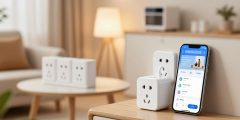
“The advance of technology is based on making it fit in so that you don’t really even notice it, just like everyday life,” said Bill Gates. As we go about our daily lives, smart devices play a big role in our routines.
With the growth of smart home technology, controlling and automating our living spaces is easier than ever. From voice assistants to smart thermostats, smart devices are changing how we live and interact with our environment.

This article will give you an overview of smart devices. It will help you start with the basics and see the many benefits they offer.
Key Takeaways
- Understanding the basics of smart devices and their applications
- Exploring the benefits of smart home technology for beginners
- Learning how to get started with smart devices
- Discovering beginner-friendly smart device tips
- Understanding the importance of smart devices in daily life
What Are Smart Devices?
Smart devices are more than just gadgets. They are intelligent tools designed to make our lives easier and more convenient. These devices are now a big part of our daily routines. They help us control our homes and enhance our entertainment.
Definition and Basic Concepts
At their core, smart devices are electronic devices that can connect to the internet and other networks. This lets them interact with other devices and systems. They can receive and send data, making them “smart” and able to perform tasks on their own or based on user commands.
The basic concepts of smart devices include their ability to be controlled remotely. They can be controlled through smartphones or voice assistants. They also have the capacity to learn and adapt to user preferences. Plus, they integrate into broader smart ecosystems.
How Smart Devices Differ from Traditional Electronics
Unlike traditional electronics, smart devices offer advanced connectivity and automation. For example, a smart thermostat can learn your temperature preferences and adjust the temperature accordingly. On the other hand, a traditional thermostat requires manual adjustments.

| Feature | Smart Devices | Traditional Electronics |
|---|---|---|
| Connectivity | Internet-connected, can be controlled remotely | Typically not connected to the internet |
| Automation | Can perform tasks autonomously based on user data | Requires manual operation |
| Learning Capability | Can learn user preferences over time | No learning capability |
The Evolution of Smart Home Technology
Smart home technology has come a long way. It started as a dream and is now a reality for many. This change happened over decades, thanks to new advancements.
A Brief History of Smart Devices
The first remote controls were introduced in the early 20th century. But, smart home tech really started taking off in the late 1990s and early 2000s. These early systems were pricey and hard to use, which limited their appeal.
Things changed with the arrival of smart speakers and voice assistants like Amazon’s Alexa and Google Home. These made controlling smart devices easy and affordable for everyone.

Current State of Smart Home Technology
Now, smart home tech includes many devices. You can find smart thermostats, lighting, security cameras, and door locks. Today’s tech is better because devices work well together, security is stronger, and it’s easier to use.
| Feature | Past | Present |
|---|---|---|
| Device Control | Complex automation systems | Simple voice commands |
| Interoperability | Limited compatibility between brands | Seamless integration across platforms |
| Security | Vulnerable to hacking | Enhanced security protocols |
Smart home tech has grown fast, with big leaps in recent years. As tech keeps improving, we’ll see even more cool things for our homes.
Types of Smart Devices for Beginners
For those new to smart home tech, knowing the different devices is key. You’ll want to find devices that are easy to use, affordable, and fit with your current smart home setup.

Smart Speakers and Voice Assistants
Smart speakers with voice assistants like Amazon Alexa or Google Assistant are a good start. They let you control other smart devices, play music, and get info with just your voice. With a smart speaker, you can manage your smart home, set reminders, and get news updates.
Smart Lighting Systems
Smart lighting systems, like Philips Hue or LIFX, make it easy to change your home’s mood and brightness. You can set lighting scenes, adjust colors, and sync with your daily routines. Smart lighting can make your home look better and save energy.
Smart Thermostats and Climate Control
Smart thermostats like Nest or Ecobee learn your temperature likes and adjust it for you. You can control them from anywhere, so you can stay comfy even when you’re out. Smart thermostats help save energy and keep you cozy.
Smart Security Devices
Smart security devices, like doorbells with cameras like Ring or cameras like Arlo, add security and peace of mind. You can watch your home from afar, get alerts for motion, and talk to visitors at your door.
Exploring these smart devices helps beginners build a smart home that meets their needs. Whether you want more convenience, security, or energy savings, there’s a device for you.
Essential Smart Home Hubs and Controllers
The heart of a smart home is its hub or controller. It connects and manages all your smart devices smoothly. A smart home hub is like a central command center. It lets you control and watch your devices from one place.
This makes managing your smart home easier and more fun. It makes your home more efficient and easy to use.
Popular Smart Home Ecosystems
Many smart home ecosystems are popular because they work well with lots of devices. Some top ones are:
- Amazon Alexa: Known for its voice control and wide device compatibility.
- Google Home: Integrates well with Google services and supports many devices.
- Apple HomeKit: Offers a secure and easy-to-use platform for managing devices, focusing on privacy.
- Samsung SmartThings: A versatile hub that works with many device protocols, making it a favorite among users.
Each ecosystem has its own good points and not-so-good points. It’s important to pick one that fits your devices and what you like.
Choosing the Right Hub for Your Needs
When picking a smart home hub, think about these things:
| Factor | Description |
|---|---|
| Device Compatibility | Make sure the hub works with your current smart devices. |
| Ease of Use | Pick a hub with an easy-to-use interface and app. |
| Voice Control | Think about a hub with voice control for more convenience. |
| Security Features | Look for hubs with strong security to keep your network safe. |
By thinking about these points, you can find a smart home hub that fits your needs. It will make your smart home experience better.

Beginner Guide to Smart Devices: Setup and Installation
Starting your smart home journey? Knowing how to set up your devices is key. Doing it right means you get to enjoy all their features.
Preparing Your Home Network
Before you start, make sure your home network is ready. This means your Wi-Fi router is current and can handle lots of devices. A solid network is essential for a smart home.
- Check your router’s specs to make sure it supports the latest Wi-Fi.
- Update your Wi-Fi password to something strong and unique for better security.
- If you have many devices, think about getting a faster internet plan.
Step-by-Step Setup Process
With your network set, it’s time for the step-by-step setup of your smart devices. Most come with an app that shows you how to install.
- Download and install the app for your device.
- Make an account or log in if you already have one.
- Follow the app’s instructions to connect your device to Wi-Fi.

Common Setup Challenges and Solutions
Even with a simple setup, you might run into problems. Here are some common issues and how to fix them:
- Connectivity issues: Try restarting your router and device, or check your Wi-Fi signal.
- Device not responding: Look for firmware updates or reset it to factory settings.
By following these steps and knowing how to solve common problems, you’ll have a smooth setup for your smart devices.
Understanding Smart Device Connectivity
To get the most out of your smart devices, knowing how they connect is key. Smart device connectivity lets these gadgets talk to each other and to you. This makes it possible for remote control, automation, and sharing data.
Wi-Fi, Bluetooth, and Other Connection Types
Smart devices use different ways to connect. Wi-Fi lets them join the internet and be controlled from afar through apps. Bluetooth is great for short-distance talks between devices. Other options like Zigbee and Z-Wave are used in home automation for their energy-saving and reliable nature.

| Connection Type | Use Case | Advantages |
|---|---|---|
| Wi-Fi | Internet connectivity, remote access | High-speed data transfer, wide range |
| Bluetooth | Device-to-device communication | Low power consumption, easy pairing |
| Zigbee/Z-Wave | Home automation | Low power consumption, reliable |
Ensuring Reliable Connectivity
For reliable connectivity, a strong home network is vital. Use a top-notch router and place it in the middle of your home. Keep your router’s software up to date and consider using network extenders or mesh networks for better coverage.
Also, make sure your network is secure with a strong password and WPA3 encryption. This keeps your smart devices safe from hackers, ensuring your connection stays reliable and secure.
Mastering Voice Commands and Controls
To get the most out of your smart devices, it’s important to know and use voice commands well. Voice commands make it easy to control things like lighting, temperature, security, and entertainment. This makes our lives simpler.
Basic Voice Command Structures
Most smart devices need specific voice commands to work. For example, saying “Turn on the living room lights” or “Adjust the thermostat to 72 degrees” can control your smart lighting and thermostat. Knowing the basic voice command structures your device supports is crucial. This could be through Amazon Alexa, Google Assistant, or Apple Siri.

Tips for Effective Voice Interactions
To get the best out of voice commands, speak clearly and at a moderate pace. Try to avoid complex sentences. Use the specific names or labels you’ve given to your devices. For instance, if you’ve named a light “kitchen light,” saying “Turn on kitchen light” works better than a vague command.
Also, get to know the range of commands your device can handle. Many smart devices can do more than one thing at a time. They can set routines or control several devices at once. Trying out different commands can make your smart home experience better.
Smart Device Security for Beginners
Smart device security is key for beginners to protect their homes and data. As smart homes grow, so does the risk of cyber threats. It’s vital to learn the basics of securing your smart devices.
Privacy Considerations
Privacy is a big worry with smart devices. They collect personal data, which can be at risk if not secured. It’s important to check your devices’ privacy settings and know what data they collect and how it’s used.
For example, smart speakers always listen for their wake word, which is a privacy issue. Manufacturers give tips on managing this data, like deleting voice recordings often.
Securing Your Smart Home Network
Securing your smart home network is crucial. Make sure your Wi-Fi has a strong password and WPA3 encryption. It’s also good to have a separate network for your smart devices if your router allows it.

Regular Updates and Maintenance
Keeping your smart devices updated is key for their security. Manufacturers fix vulnerabilities with updates. Enable automatic updates when you can, and check for updates manually for devices that don’t support it.
Regular maintenance also means watching your devices for odd behavior. Make sure to replace devices that no longer get security updates.
“The security of our smart home devices is just as important as the security of our personal computers and smartphones. As our homes become smarter, we must ensure that we’re protecting our data and our privacy.”
| Security Practice | Description | Benefit |
|---|---|---|
| Strong Wi-Fi Password | Use a complex password for your Wi-Fi network. | Prevents unauthorized access to your network. |
| Regular Updates | Keep your devices updated with the latest software. | Fixes security vulnerabilities. |
| Network Segmentation | Segregate smart devices onto a separate network. | Isolates smart devices from sensitive data on your main network. |
Creating Smart Home Routines and Automation
Creating routines and automations is a big step for smart home fans. It makes your life easier, boosts productivity, and simplifies your day.
Setting Up Your First Automations
To start automating your home, pick simple tasks to begin with. For example, lights can turn on when you enter a room. Or, your thermostat can adjust the temperature based on the time.
Most smart home systems are easy to use for these tasks. Start with simple routines and add more as you get better.
Advanced Automation Ideas for Everyday Life
When you’re ready, try more complex automations. You could have a “Good Morning” routine that lights up your room, starts your coffee, and plays your favorite podcast. Or, a “Leaving Home” routine that locks doors, turns off lights, and saves energy.
These advanced automations can really improve your smart home life. A smart home expert says, “Automation unlocks your smart home’s full potential.”
By using these automations, you’ll enjoy a more convenient, efficient, and fun life.
Troubleshooting Common Smart Device Issues
Fixing smart devices can seem hard, but it’s easier with the right steps. These devices aim to make our lives easier, but they can fail or act strangely. Knowing how to fix common problems can save time and reduce stress.
Connectivity Problems
Many smart devices face connectivity issues. Wi-Fi connectivity is key for most to work right. Start by checking your Wi-Fi’s stability and if your device is close enough. Try restarting your router and device to fix problems. If it still doesn’t work, think about getting a better router or a Wi-Fi extender.
Device Responsiveness Issues
Smart devices can sometimes not respond or be slow. This might be due to software glitches or hardware problems. Try restarting your device or updating its software to fix it. If it still doesn’t work, you might need to reset it to its original settings or get help from the maker.
Compatibility Challenges
When using smart devices from different makers, you might face compatibility issues. Make sure your devices work well together in your smart home system. Using devices from the same system can make things easier. If you have devices from different makers, check if they work together before buying. You might also need a universal hub or bridge to help them talk to each other.
Conclusion: Taking Your Smart Home to the Next Level
Smart devices can really make your life better. By learning about smart home tech, setting up your devices, and using voice commands, you’re getting closer to a more convenient home.
To keep improving your smart home, try using more devices together and setting up complex automations. Also, keep an eye on new smart home tech to get the most out of your setup.
The future of smart homes looks bright, with AI and better device connection on the horizon. By following these trends, you can make your home even more connected and efficient.
Remember to keep your smart home safe as you explore more. Stay updated on security tips to fully enjoy your smart home.