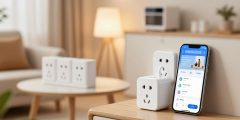
Did you know that installing smart lighting can increase your home’s value by up to 5%? This is just one of the many benefits of smart lighting. It lets you control your lights from anywhere, change brightness, and even colors.

Thinking about smart lighting installation for your home? It can really improve your living space. This article will show you how to set up smart lights. We’ll cover choosing the right system and integrating it with your home.
Key Takeaways
- Understand the benefits of smart home lighting.
- Learn how to choose the right smart lighting system.
- Discover the steps involved in smart lighting installation.
- Find out how to integrate smart lights with your home setup.
- Get tips on controlling and customizing your smart lights.
Understanding Smart Lighting Basics
Smart homes are becoming more common, and smart lighting is key for homeowners. It’s not just tech; it makes life better by saving energy and setting the mood just right.
What Are Smart Lights?
Smart lights can be controlled from your phone or computer. They let you change brightness, color, and schedule. This makes it easy to set the mood for any time.
Benefits of Smart Lighting Systems
Smart lighting saves energy, boosts security, and looks great. It automates lights and adjusts brightness. This cuts down on energy use.
Types of Smart Lighting Products
There are many smart lighting options to fit your needs.
Smart Bulbs
Smart bulbs are easy to add to your home. They fit in existing fixtures and can be controlled with an app.
Smart Switches and Dimmers
Smart switches and dimmers are a more complete solution. They control lights without changing bulbs.
Smart Light Strips and Fixtures
Smart light strips and fixtures add flexibility. They’re great for accent lighting or as a main light source.

| Type | Description | Use Cases |
|---|---|---|
| Smart Bulbs | Replaceable bulbs with smart technology | Table lamps, ceiling fixtures |
| Smart Switches and Dimmers | Replace traditional light switches | Wall-mounted control, dimming |
| Smart Light Strips and Fixtures | Flexible lighting solutions | Accent lighting, under-cabinet lighting |
Essential Components for a Smart Lighting System
To make a smart lighting system work well, you need to know the parts involved. A good smart lighting system makes your home’s lighting better and more efficient.
Smart Bulbs vs. Smart Switches
Choosing between smart bulbs and smart switches depends on what you need. Smart bulbs are simple to put in and flexible, fitting any socket. Smart switches offer a full solution by replacing old switches, giving a more connected feel.
Smart Hubs and Bridges
Smart hubs and bridges are key for linking your smart lights to your network and other devices. They serve as a central hub, making sure your lights work well when you tell them to.

Mobile Apps and Voice Assistants
Mobile apps let you control your smart lights from anywhere, changing brightness and color easily. Voice assistants like Amazon Alexa and Google Assistant work with your system, letting you control it with your voice.
Network Requirements
A strong and reliable home network is crucial for a smooth smart lighting experience. Make sure your Wi-Fi is solid. Think about using a mesh network for better coverage.
| Component | Description | Benefits |
|---|---|---|
| Smart Bulbs | Replace traditional bulbs with smart technology | Easy to install, flexible |
| Smart Switches | Replace traditional switches with smart controls | Comprehensive solution, integrated experience |
| Smart Hubs/Bridges | Connect smart devices to your home network | Central control, efficient communication |
Choosing the Right Smart Lighting Brand
Finding the perfect smart lighting brand can be tough. There are many choices out there. Each brand has its own set of features, how well it works with other devices, and price. It’s important to pick one that fits your smart home needs well.
Popular Smart Lighting Brands
Several big names lead the smart lighting market. Here are some well-known brands:
Philips Hue
Philips Hue is known for its wide range of smart lights. They work well with many smart home systems.
LIFX
LIFX bulbs can change color and dim. They’re controlled through a simple app.
Sengled
Sengled offers smart lights at a lower price. They focus on working well with popular smart home systems.
Wyze
Wyze is known for its affordable smart lights. They offer great features without breaking the bank.

Compatibility Considerations
When picking a smart lighting brand, think about how it works with your devices. Some brands are more compatible than others. Make sure the brand you choose works with your voice assistant or smart home hub.
| Brand | Compatibility | Price Range |
|---|---|---|
| Philips Hue | Amazon Alexa, Google Assistant, Apple HomeKit | $50-$200 |
| LIFX | Amazon Alexa, Google Assistant, Apple HomeKit | $30-$60 |
| Sengled | Amazon Alexa, Google Assistant | $20-$50 |
| Wyze | Amazon Alexa, Google Assistant | $15-$30 |
Budget Options vs. Premium Systems
Choosing between affordable and premium smart lighting depends on your needs and budget. Budget options like Wyze are cheap but premium brands like Philips Hue offer more features and better integration.
“The key to a successful smart home is not just about the technology, but how it integrates into your lifestyle.” – Smart Home Expert
The best smart lighting brand for you will depend on what you need, how well it works with other devices, and its price.
Preparing Your Home for Smart Lights
Getting your home ready for smart lights is key to a smooth setup. First, check your home’s setup and make any needed changes.
Wi-Fi Requirements and Coverage
A strong Wi-Fi network is vital for smart lights. Make sure your router can handle the extra load. If your home is big or Wi-Fi is weak, think about getting a mesh network.
Electrical Considerations
Look at your home’s electrical system to see if it fits smart lights. Check if your circuit breaker can handle the new lights. Also, make sure you have the right fixtures.

Planning Your Lighting Zones
Split your home into lighting zones based on how you use each room. This helps figure out how many and what type of smart lights you need.
Creating a Smart Lighting Floor Plan
Draw a simple floor plan and mark where you want smart lights. Think about switch places and wiring problems.
| Zone | Lighting Needs | Smart Light Type |
|---|---|---|
| Living Room | Ambient & Task | Dimmable LED |
| Kitchen | Task & Accent | Color Changing |
| Bedroom | Ambient | Smart Bulbs |
How to Set Up Smart Lights: Step-by-Step Guide
Setting up smart lights can change your home’s look and feel. This guide will help you do it easily. You’ll learn how to add smart lights to your home’s lighting system.
Installing Smart Bulbs
Start by swapping out old bulbs for smart ones. Here’s how:
- Turn off the power to the light fixture at your circuit breaker or fuse box.
- Remove the existing bulb.
- Screw in the smart bulb.
- Turn the power back on.
Replacing Existing Bulbs
Make sure the smart bulb is tight and the power is on. Some bulbs need a power cycle to start.
Initial Power Cycling
Some bulbs need to be turned on and off a few times. This wakes them up for pairing. Check your bulb’s manual for details.
Setting Up Smart Switches
Smart switches give you more control over your lights. Here’s how to set them up:
Safety Precautions
Always turn off the power to the light switch before starting. Use a voltage tester to make sure it’s off.
Wiring Instructions
Follow the maker’s wiring guide for your smart switch. You’ll connect live, neutral, and ground wires to their spots.
Connecting to Your Home Network
To control your smart lights from anywhere, connect them to your network.
Bluetooth vs. Wi-Fi Setup
Some lights use Bluetooth for setup, others Wi-Fi. Check your device’s guide to see which you need.
Hub Configuration
If your system needs a hub, follow the maker’s guide. Connect it to your router and then to your lights.

By following these steps, you can enjoy smart lighting’s benefits at home.
Configuring Your Smart Lighting App
To enjoy your smart lights fully, you must set up the app. It’s the heart of your smart lighting system. You’ll need to follow a few steps to control and customize your lights.
Creating an Account
First, create an account for your app. You’ll need an email and password. Having an account lets you save your settings and control your lights from anywhere.
Adding Devices to Your App
After setting up your account, add your smart lights to the app. Choose your device type and follow the app’s instructions. The app will help you pair your lights with your device.

Setting Up Rooms and Zones
Organize your lights into rooms and zones for easier control. For example, make a “Living Room” zone for all lights in that area. This lets you change the lighting with one command.
Naming Your Lights Effectively
Give your lights clear names for better control. Use names like “Kitchen Ceiling Light” or “Bedroom Lamp.” This makes controlling your lights easier through the app or voice commands.
Testing Basic Functionality
Test your smart lights after setting up your app. Turn them on and off, adjust brightness, and change colors. This ensures everything works right and helps spot any problems early.
| Feature | Description | Benefit |
|---|---|---|
| Account Creation | Sign up with email and password | Remote access and saved preferences |
| Device Addition | Pair devices through the app | Control multiple lights from one interface |
| Room/Zones Setup | Organize lights into groups | Simplified control of multiple lights |
Integrating Smart Lights with Voice Assistants
Smart lighting gets even better when you connect it with voice assistants. This includes Amazon Alexa, Google Assistant, or Apple HomeKit. It lets you control your lights with just your voice. No need to touch switches or use an app.
Amazon Alexa Integration
To link your smart lights with Amazon Alexa, start by enabling the right skill in the Alexa app.
Enabling Skills
Open the Alexa app and go to Skills & Games. Search for your smart light brand’s skill. Enable it and connect your account.
Voice Commands for Alexa
After enabling the skill, you can use voice commands. Say, “Alexa, turn on the living room lights” or “Alexa, dim the bedroom lights to 50%.”
Google Assistant Setup
Google Assistant makes controlling your smart lights easy with voice commands.
Linking Accounts
In the Google Home app, go to Settings and then Home Control. Find your smart light brand, link your account, and let Google Assistant control your devices.
Voice Commands for Google
With your account linked, use voice commands like, “Hey Google, turn off the kitchen lights” or “Hey Google, brighten the hallway lights.”
Apple HomeKit Configuration
Apple users can integrate their smart lights with Apple HomeKit. This offers strong voice control via Siri.
Using HomeKit Codes
To set up with HomeKit, scan a HomeKit code or enter the setup code from your device.
Siri Commands
After setup, control your lights with Siri. Say, “Hey Siri, turn on the bedroom lights” or “Hey Siri, set the living room lights to 20%.”
Connecting your smart lights with these voice assistants boosts convenience. It also makes your smart home experience better.

- Amazon Alexa has many skills for different smart light brands.
- Google Assistant works well with various smart home devices.
- Apple HomeKit offers secure and reliable control through Siri.
Creating Lighting Scenes and Routines
Smart lighting is more than just turning lights on and off. It’s about setting up scenes and routines that make your home better. These can greatly improve your home’s functionality and comfort.
Morning and Evening Routines
Starting your day with a gentle wake-up routine is refreshing. Smart lighting can mimic a sunrise, slowly brightening your room. This wakes you up gently. In the evening, dimming lights can signal it’s time to relax.
Entertainment Scenes
Smart lighting can enhance your movie nights, dinner parties, or reading time. For example, dimming lights and changing colors can create a cozy movie atmosphere.

Away-from-Home Security Lighting
When you’re away, smart lighting can make it seem like someone is home. Set up routines that turn lights on and off at different times. This can deter intruders.
Seasonal and Holiday Lighting
Smart lighting is great for celebrating seasons and holidays. For instance, you can create a festive scene for Christmas or Halloween.
Time-Based Automation
Smart lighting’s time-based automation is super convenient. It can turn lights on and off based on the time. This saves energy and adds convenience.
| Scene/Routine | Description | Benefits |
|---|---|---|
| Morning Routine | Gradual brightening to simulate sunrise | Wake up refreshed, improved mood |
| Entertainment Scene | Dimming and color change for ambiance | Enhanced viewing experience, cozy atmosphere |
| Away-from-Home Security | Lights turn on/off at different times | Deters intruders, peace of mind |
By using these lighting scenes and routines, you can get the most out of your smart lighting. Your home will become more comfortable, convenient, and secure.
Advanced Smart Lighting Features
Homeowners can now enjoy a more personalized and efficient lighting experience. Advanced smart lighting features make smart lighting systems more functional. They also offer a convenient and automated way to manage lighting.
Color Changing and Dimming Options
Advanced smart lighting lets you change colors and adjust brightness. This is thanks to smart bulbs with color temperature control and dimming capabilities. You can change the lighting to match your mood, activity, or time of day.
Motion Sensors and Automation
Motion sensors are key in automating lighting. They turn lights on or off when they detect movement. This makes lighting more convenient and energy-efficient. You can also customize how sensitive they are and how long they stay on.
Geofencing and Location-Based Controls
Geofencing technology adjusts lighting based on your location. For example, lights can turn on when you’re near your home and off when you leave. This saves energy.
| Feature | Description | Benefit |
|---|---|---|
| Color Changing | Adjust lighting color to suit mood or activity | Enhances ambiance and personalization |
| Motion Sensors | Automatically turn lights on/off with movement detection | Increases convenience and energy efficiency |
| Geofencing | Adjust lighting based on user’s location | Optimizes energy use and enhances security |
IFTTT and Third-Party Integrations
Many smart lighting systems work with IFTTT and other third-party services. This allows for complex automation and more functionality.
Energy Monitoring and Savings
Advanced smart lighting systems often have energy monitoring features. They give insights into energy use and help find ways to save.
Troubleshooting Common Smart Light Issues
Learning how to fix common smart light problems can make a big difference. Even with their advanced tech, smart lights can still have issues. These can affect how well they work.
Connection Problems
Connection issues are a big problem with smart lights. They can happen for many reasons. This includes Wi-Fi problems or issues with the hub.
Wi-Fi Connectivity Issues
To fix Wi-Fi problems, first check your router. Make sure your smart lights are close enough to it. Restarting your router might solve the problem.
Hub Connection Problems
If your lights need a hub, make sure it’s connected to your network. Also, ensure your lights are paired with the hub correctly.
Unresponsive Lights
Smart lights can sometimes stop working. This could be because of power issues or software bugs.
Power Cycling Solutions
Try a simple fix: power cycle the light. Turn it off, wait a bit, then turn it back on.
Factory Reset Procedures
If that doesn’t work, you might need to reset the light to its factory settings. Look in your device’s manual for how to do this.
App Glitches and Solutions
The app for your smart lights can also have problems. But, most issues can be fixed with a few steps.
App Updates and Reinstallation
Make sure your app is updated. Updates often fix bugs. If problems continue, try uninstalling and reinstalling the app.
Account Sync Issues
Having trouble syncing your account across devices? Try logging out and then logging back in. This can fix syncing issues.
Expanding Your Smart Lighting System
Smart lighting’s true power is in its ability to grow and change with you. As you enjoy your smart lighting, you might want to make it even better.
Adding More Lights and Zones
Expanding your smart lighting is easy. You can add more lights or zones. This lets you control different parts of your home better. For example, you can put smart bulbs in old fixtures or add smart strips for extra light.
Integrating with Other Smart Home Devices
Making your smart lighting work with other devices can make your home smarter. This includes:
- Smart Thermostats: Changing lights based on the temperature.
Smart Thermostats
- For example, lights can dim when you’re saving energy.
- Security Systems: Lights flash or get brighter when an alarm goes off.
Security Systems
- This can scare off intruders and warn you of security issues.
- Entertainment Systems: Lights match your music or movies for a better experience.
Entertainment Systems
- Like changing lights to the music’s beat or movie scenes.
Upgrading Your System Over Time
Technology changes, and so might your smart lighting. You might swap old bulbs for new ones with cool features or better performance.
Future-Proofing Your Setup
Think about getting devices that fit the latest smart home tech. This way, your system can keep up with new tech as it comes out.
By growing and linking your smart lighting, you make your home smarter and more fun. As tech gets better, you’ll have more ways to make your home even more special.
Conclusion
Setting up a smart lighting system can make your home more convenient, energy-efficient, and cozy. This guide shows you how to create a lighting experience that fits your lifestyle.
With smart lighting, you can control your lights from anywhere, set up routines, and connect with other smart devices. This makes your living space more streamlined and efficient. Whether you want to update one room or your whole house, smart lighting is flexible and easy to start with.
As you finish this guide, we invite you to explore the world of smart lighting. Start your journey to a brighter, more connected home today.